KeySheet for Revit

  • Collaborative keynote workflows.
  • Consistent project standards.
  • Built for real teams.
KeySheet for Revit preview

Overview

KeySheet helps teams keep keynote content consistent across projects and collaborators.

Instead of isolated local files and disconnected edits, KeySheet connects Revit to a shared Google Sheet — creating a reliable reference point for review, coordination, and updates.

Revit remains the production environment.

Google becomes the collaboration layer.

The result: teams stay aligned, content stays consistent, and updates stay visible.

Positioning

KeySheet works alongside Revit.

It is a collaboration layer, a consistency layer, a controlled publishing layer, and a coordination layer.

It strengthens existing keynote workflows without changing how professionals draft.

Establish a Shared Source of Record

KeySheet creates a single, shared keynote reference that teams can rely on.

Revit remains production.

Google Sheets becomes the shared coordination layer.

Everyone works from the same reference point.

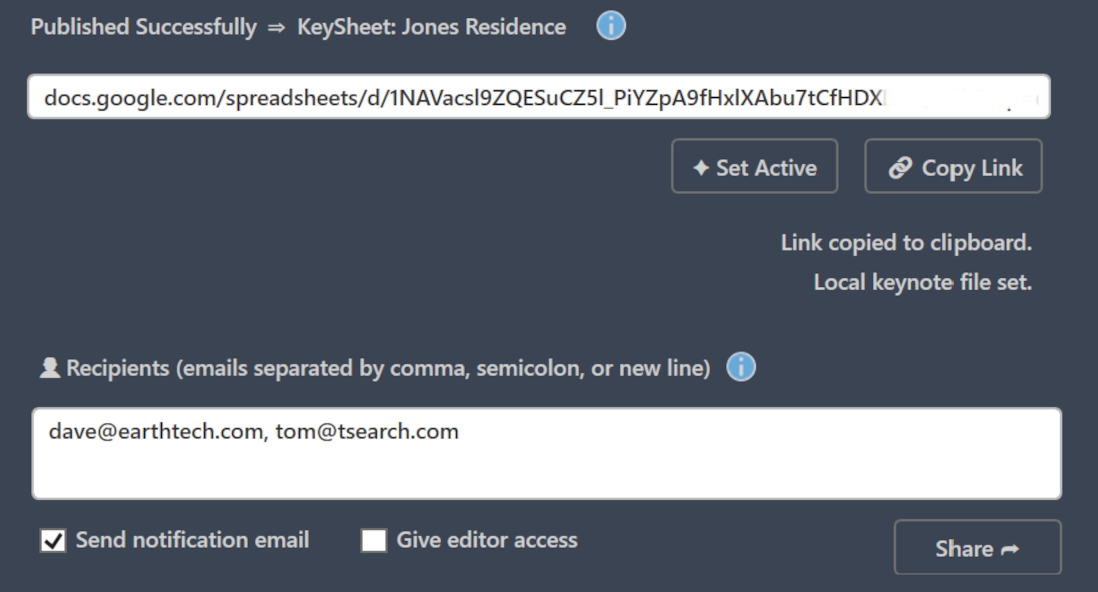
KeySheet publish interface

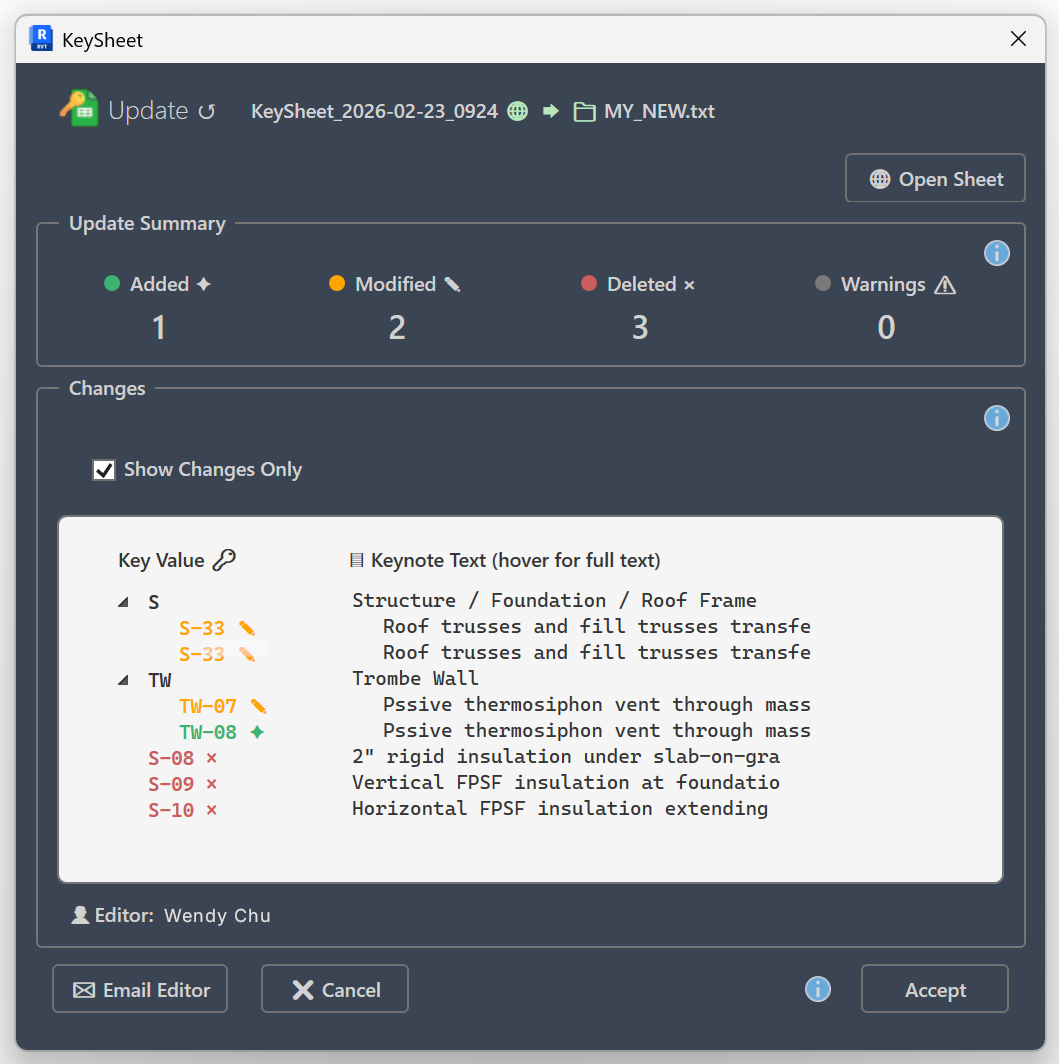
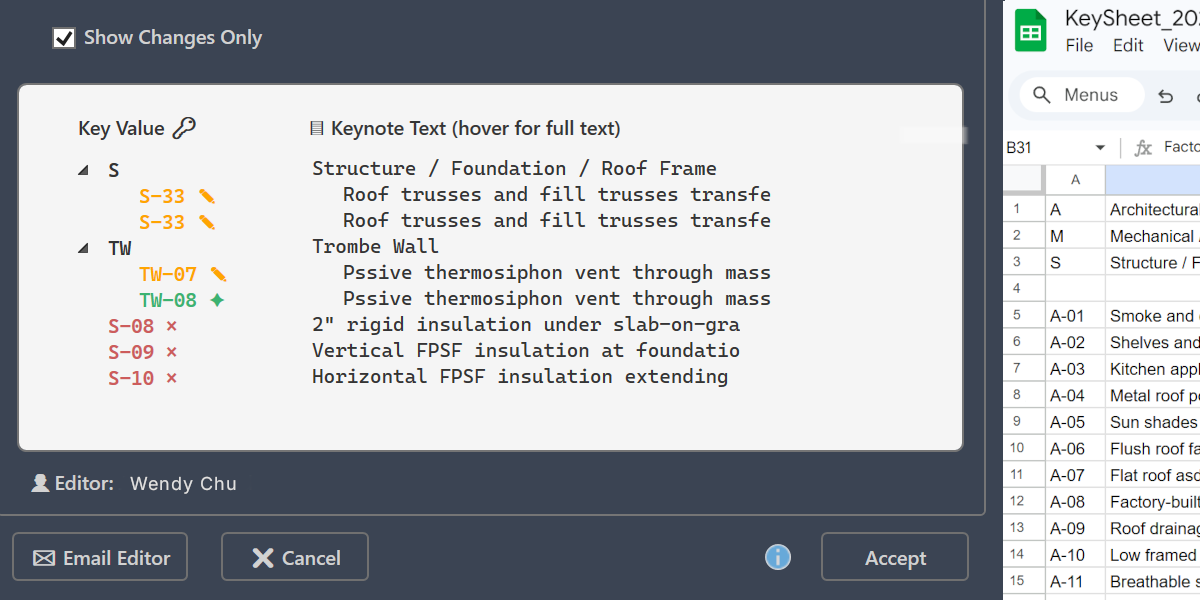
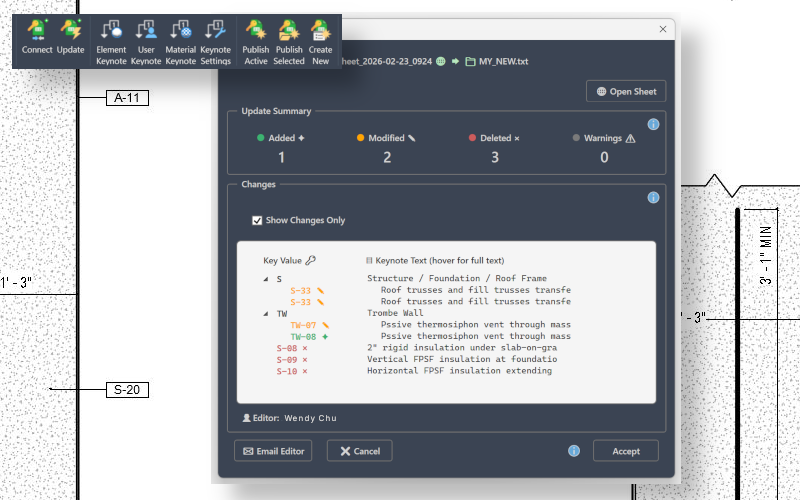
Make Changes Visible Before They Apply

Before updates are applied, KeySheet clearly shows:

  • What was added
  • What was modified
  • What was removed

No silent overwrites. Teams review before committing changes.

KeySheet change comparison interface

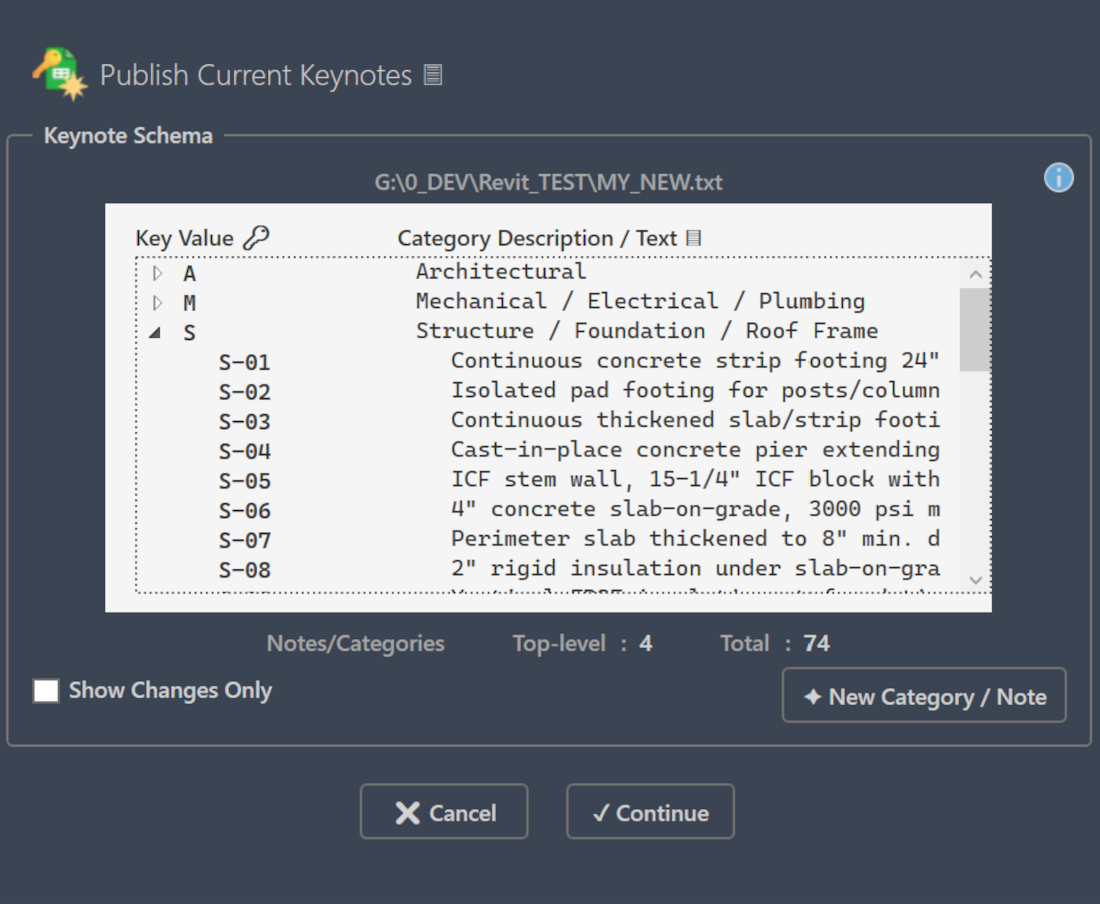
Publish for Team Review

With a controlled publish action, keynote data is sent from Revit to Google Sheets for shared visibility.

Hierarchy and organization remain intact.

Publishing becomes intentional.

KeySheet sync review interface

Sync Back with Control

Updates made in Google Sheets can be reviewed and selectively applied back into Revit.

You decide when shared changes move into production.

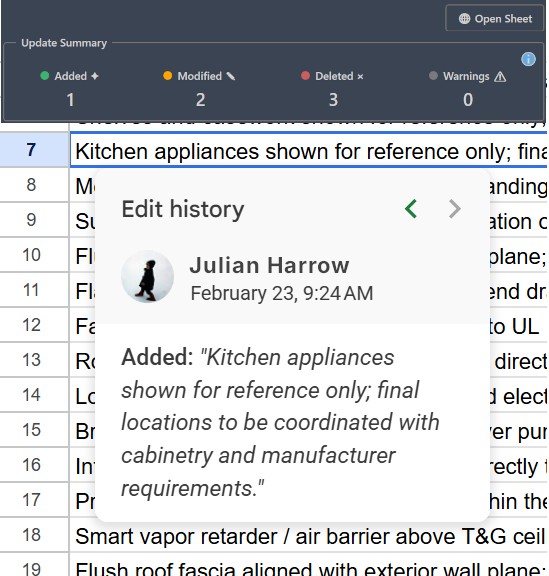
KeySheet Google Sheets structure

Enable Real Collaboration

Because keynote data lives in a shared Google Sheet:

  • Multiple contributors can review content
  • Standards can be maintained centrally
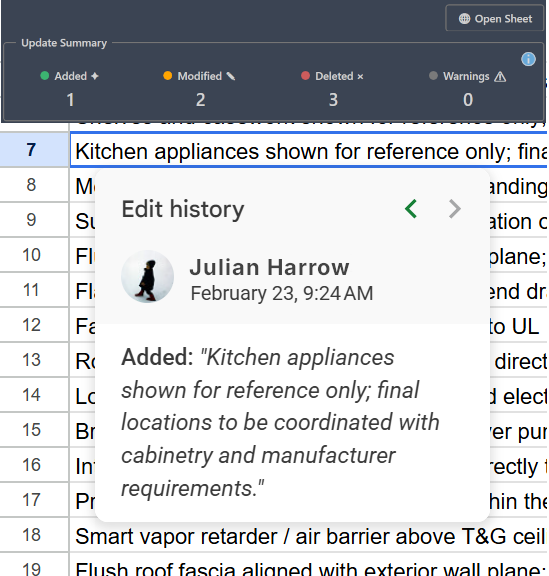
  • Version history is preserved
  • Contributors do not require direct model access

Collaboration becomes manageable and consistent.

KeySheet publish interface

Why It Matters

Keynote workflows often work — until they don’t.

As projects grow, structure erodes:

  • Duplicate entries
  • Category drift
  • Silent overwrites
  • Spreadsheet workarounds

KeySheet adds a controlled publishing and review layer.

Structure stays intact. Changes remain visible. Collaboration becomes manageable.

FAQ

Yes. Publishing and synchronization use authenticated Google access so activity is tied to a real account. This keeps shared edits traceable and prevents anonymous overwrite behavior.

Support

For technical questions or licensing inquiries, email support@studio2o5.com. We respond directly.