
🔗 Connect Page Overview
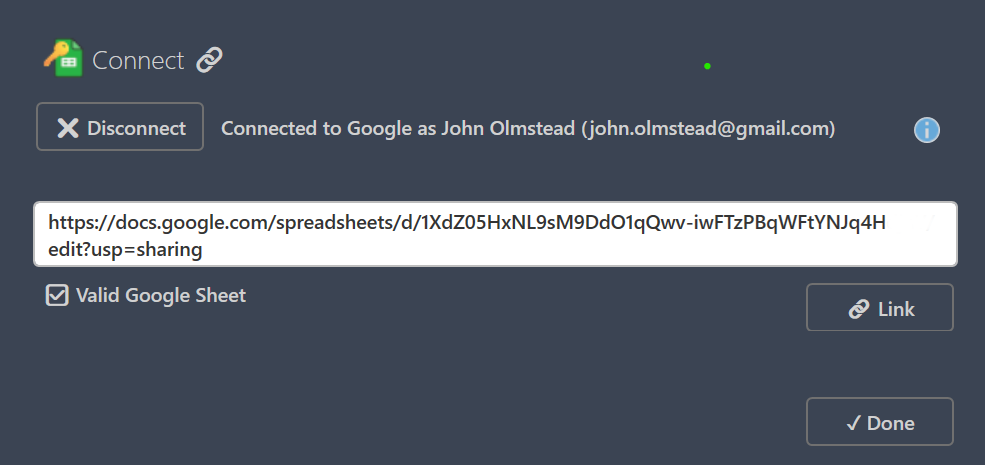
The Connect page links the current model to an existing Google Sheet. You can paste either a full Google Sheets URL or just the Sheet ID. KeySheet validates access before establishing the active link.
👤 Account and Session
The page shows the currently signed-in Google user and provides Disconnect if you need to switch accounts. If access fails, confirm the sheet exists and that your signed-in account has view or edit permission.
✅ Link Action
Use Link after entering a URL or ID. Once linked, that spreadsheet becomes the active KeySheet for the model. Use Done to close and return to Revit.
📊 Connection Status Details
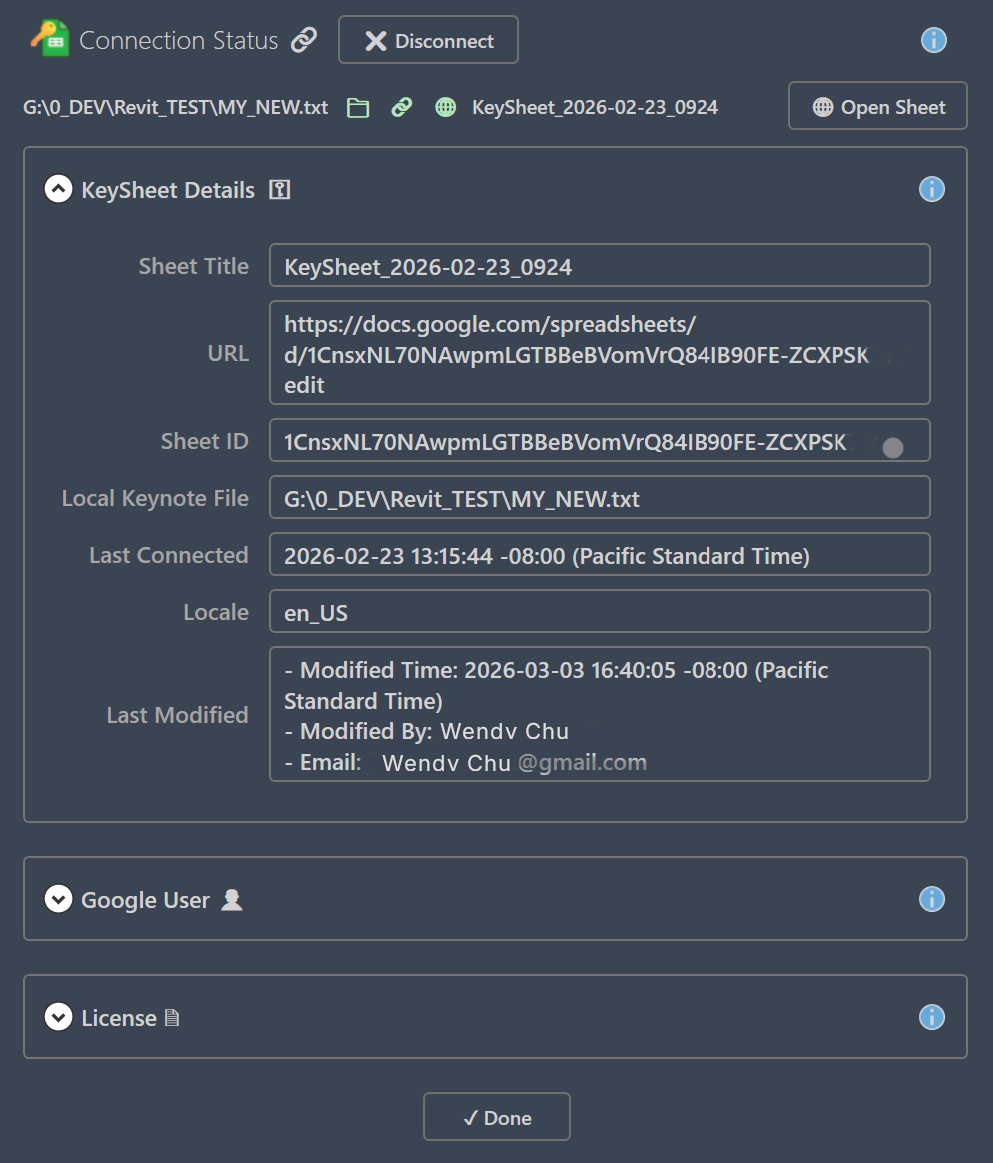
Connection Status expands on results with sections for model-to-sheet state, KeySheet details, Google user/session details, and license state. Review fields like Sheet Title, URL, Sheet ID, local keynote path, ping status, last connected time, and modified-by metadata.
↪ Next: Update
Canonical route: /keysheet/docs/connect