
🛠 Create Page Overview
The Create flow supports three entry modes: Create New KeySheet, Publish Current Keynotes, and Publish Keynote File. All modes follow a staged workflow from structure review to publish/share actions.
🧱 Keynote Schema
The Keynote Schema stage shows local hierarchy and summary counters. You can review categories and notes, filter with Show Changes Only, and start New to add a category or keynote. This stage edits local structure only and does not publish.
➕ Add Keynote or Category
The Add Keynote/Category stage captures parent, key value, and note text. Parent selection controls hierarchy placement. Key values should remain unique and valid for Revit keynote usage.
📁 Select Folder
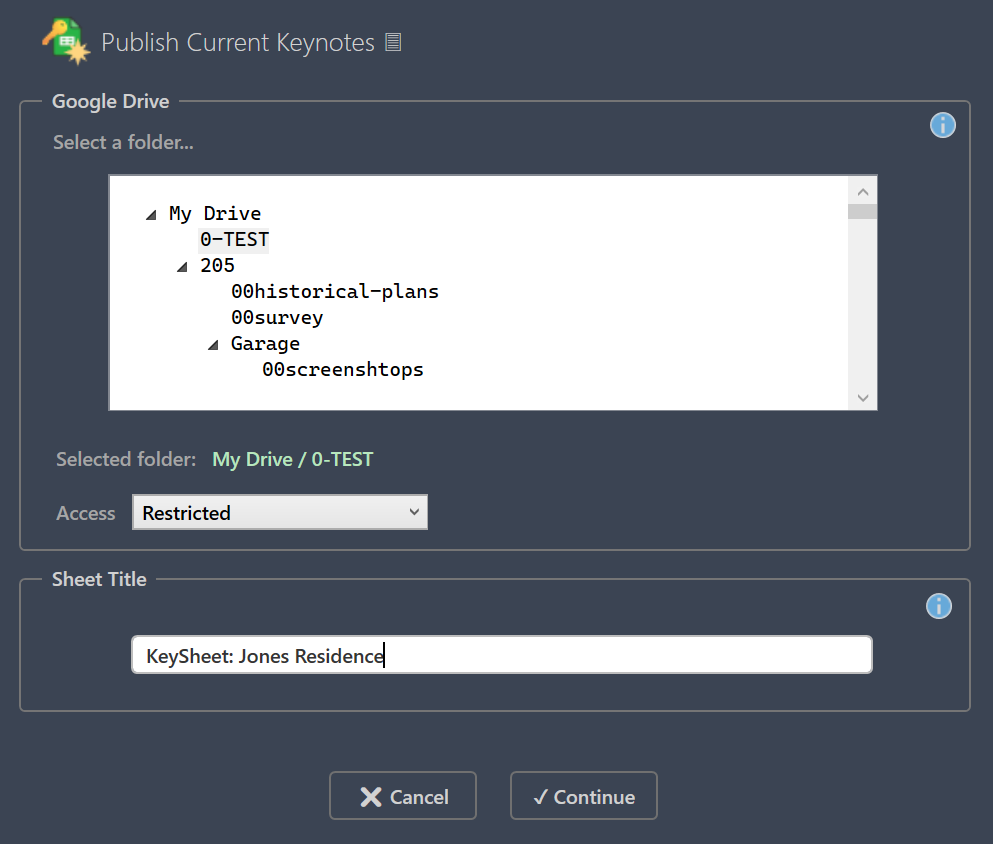
The Select a Folder stage chooses the Google Drive destination for the new sheet. Only folders are selectable, helping teams keep project files organized.
🏷 Google Sheet Title
The Google Sheet Title stage sets the Drive file name. Use a clear project-specific name. The file can still be renamed later in Google Drive.
🚀 Publish and Share
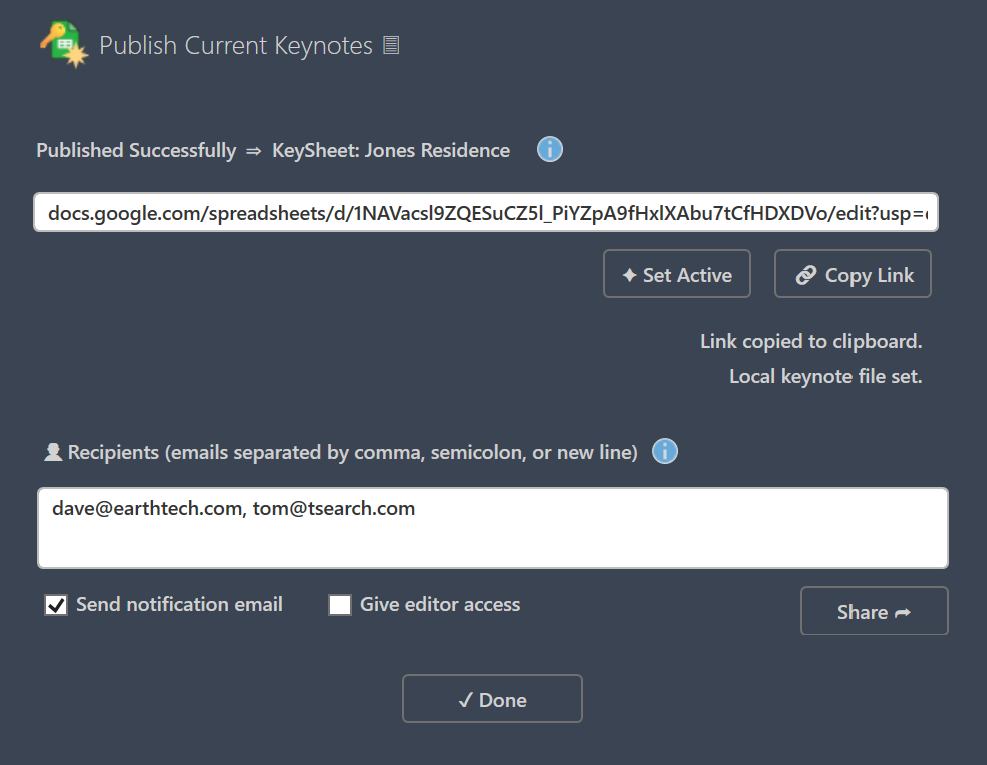
After publish completes, the Share stage provides Set Active, Copy Link, and Done. The Sharing stage accepts one or more recipient emails and supports notify/editor options. Sharing can be adjusted later in Google Sheets.
↪ Next: FAQ
Canonical route: /keysheet/docs/create